RingWise
See what fills your Mac. Clear it safely.
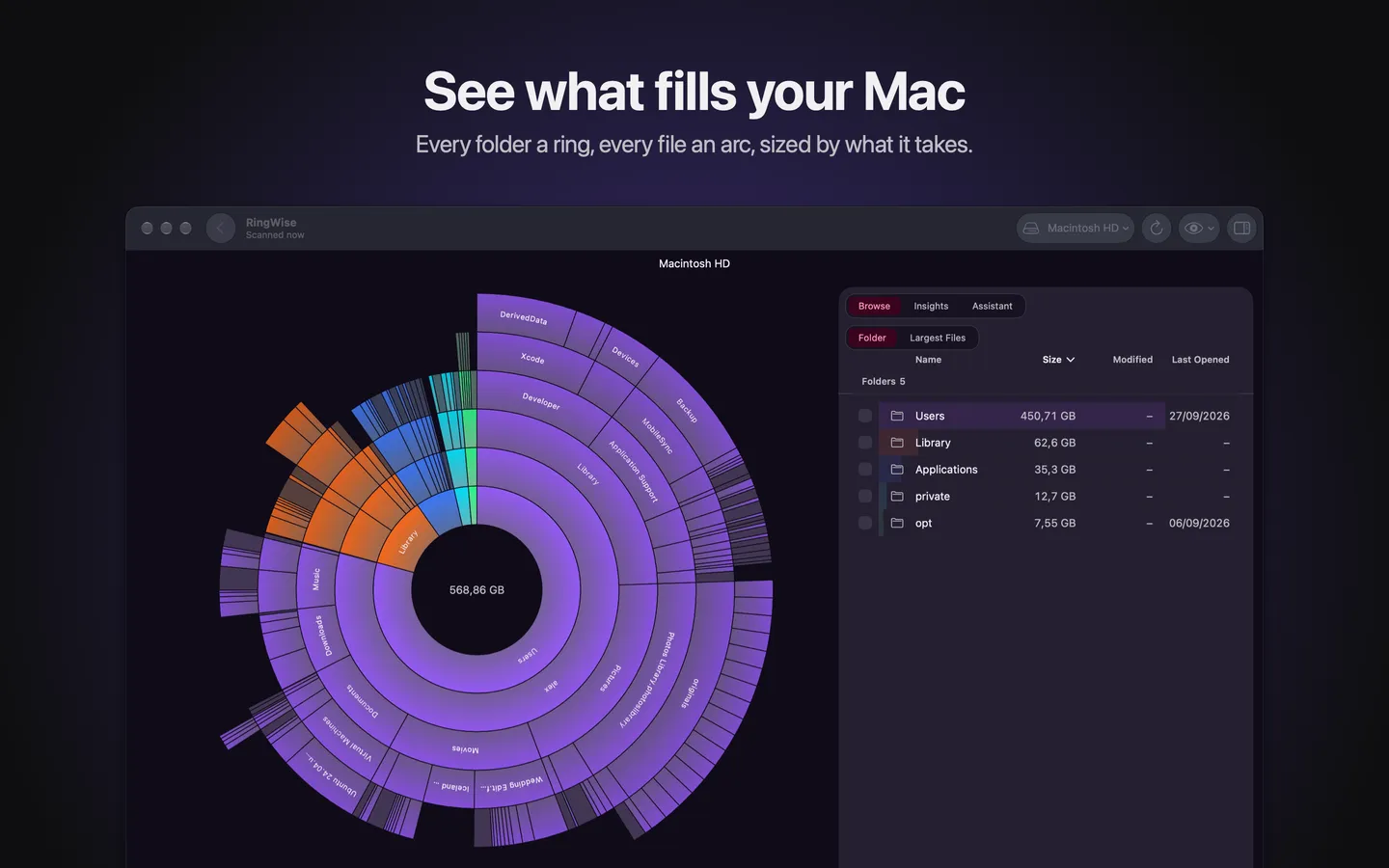
Coming to the Mac App StoreEvery folder a ring
Each ring is a folder level, each arc a folder or file, as wide as the space it takes. Click to zoom in. Drag to turn the chart. The big things find you.
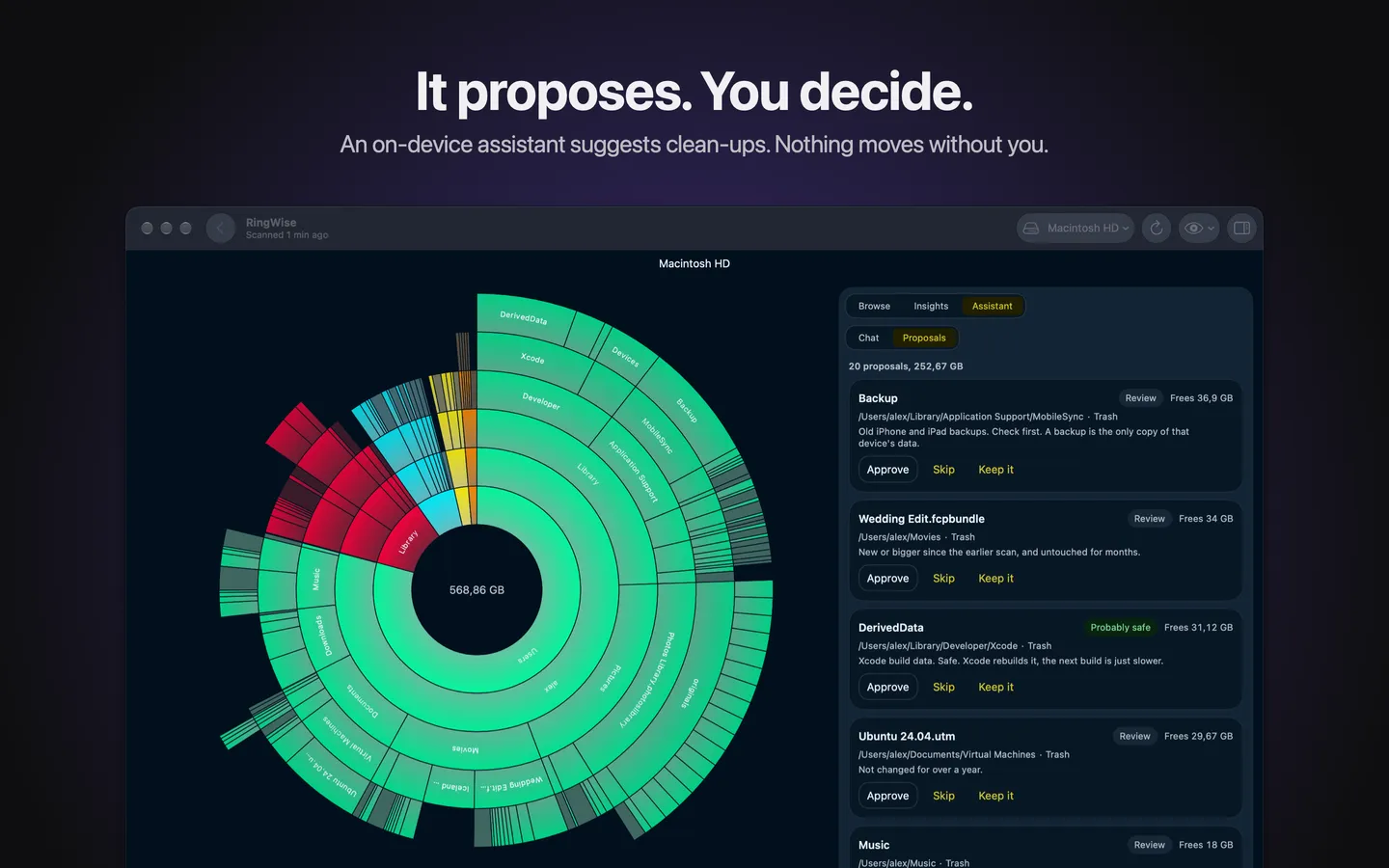
It proposes. You decide.
An assistant on your Mac, with Apple Intelligence, suggests what to clear: what happens, how much it frees, how risky it is. Approve, skip or keep each one. It never acts alone.
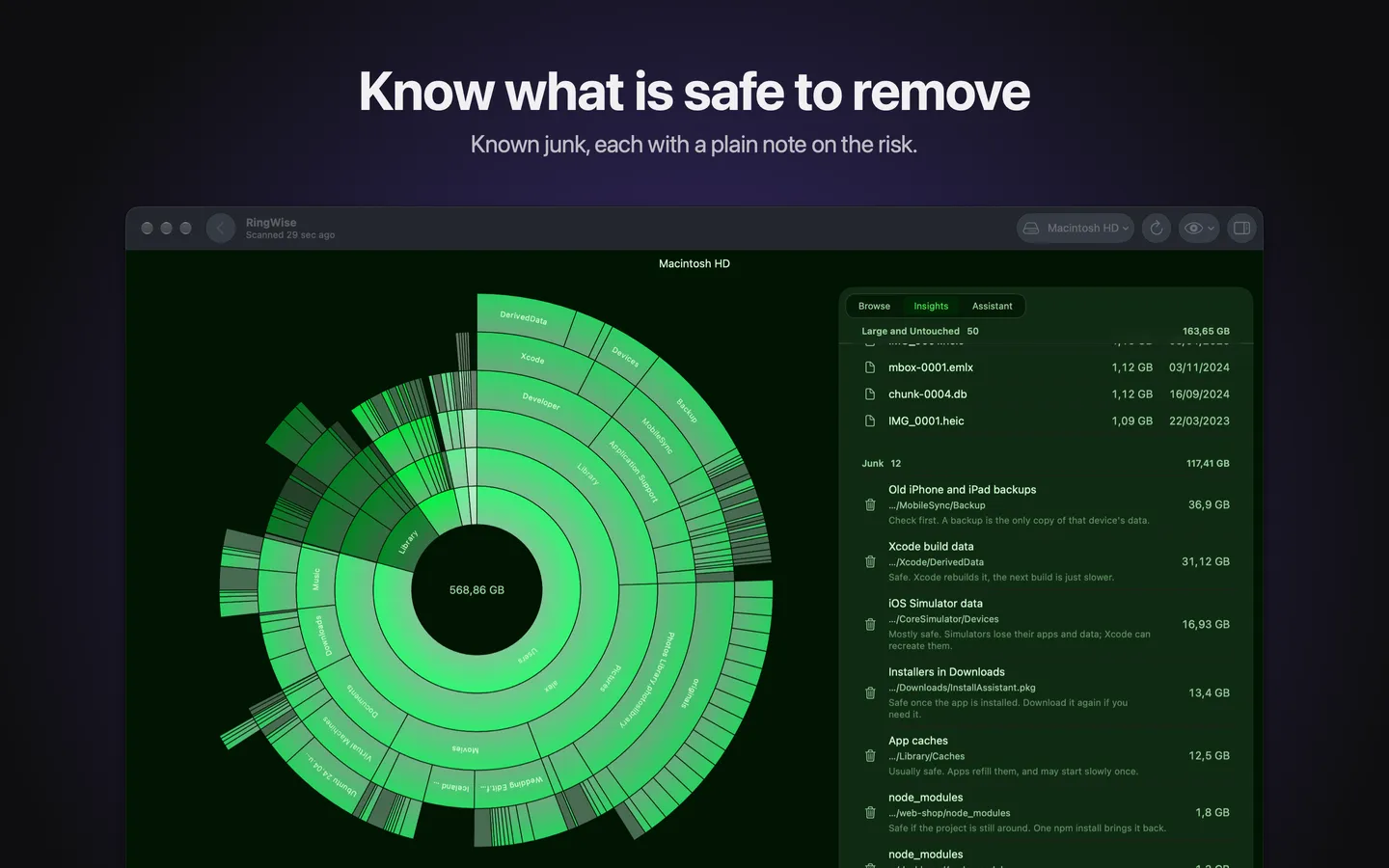
Know what is safe to remove
Xcode build data, simulators, node_modules, caches, old iPhone backups, installers in Downloads. Each with a plain note on the risk.
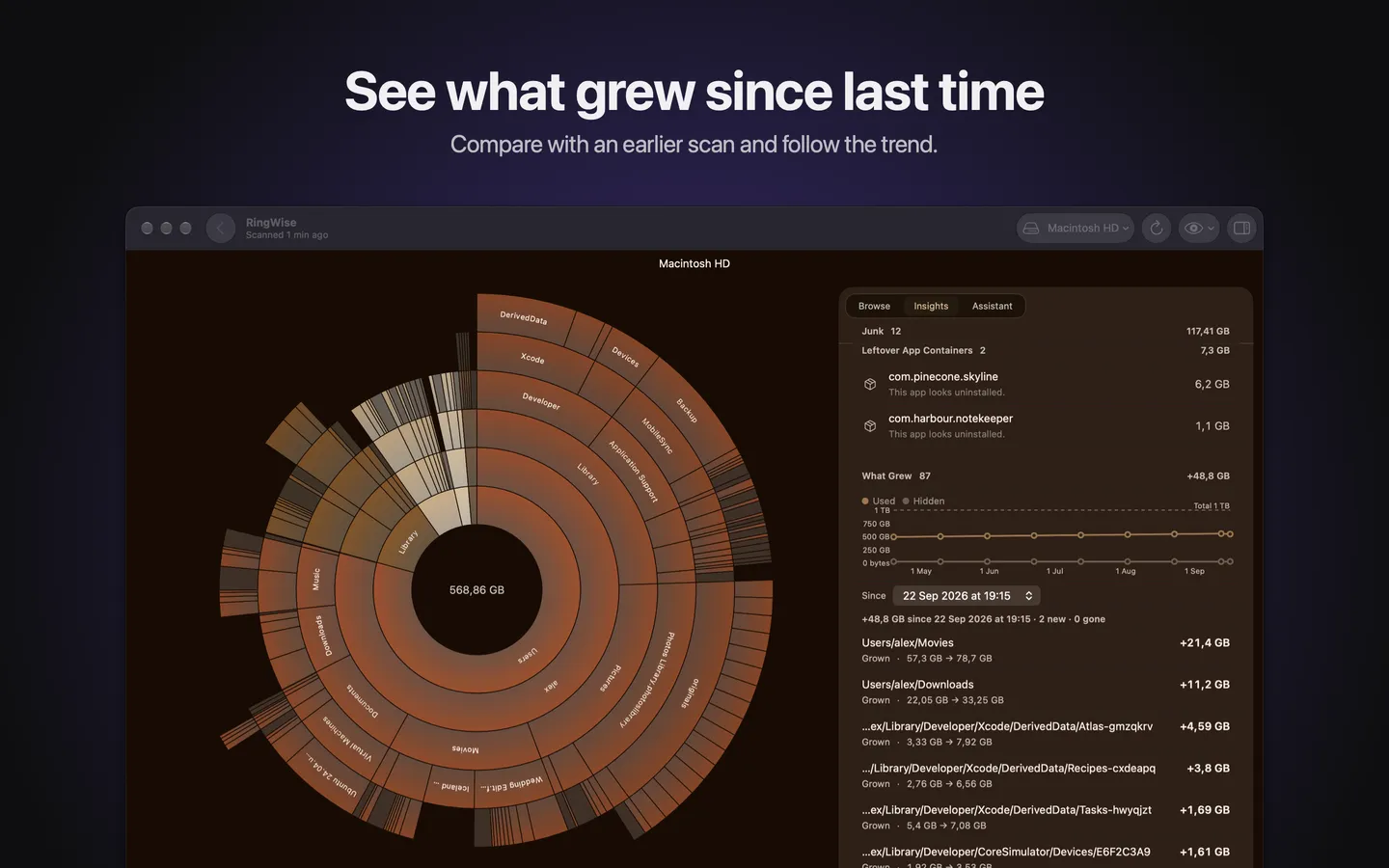
See what grew
Compare with an earlier scan: what got bigger, what is new, what went. A trend line follows your disk over months.
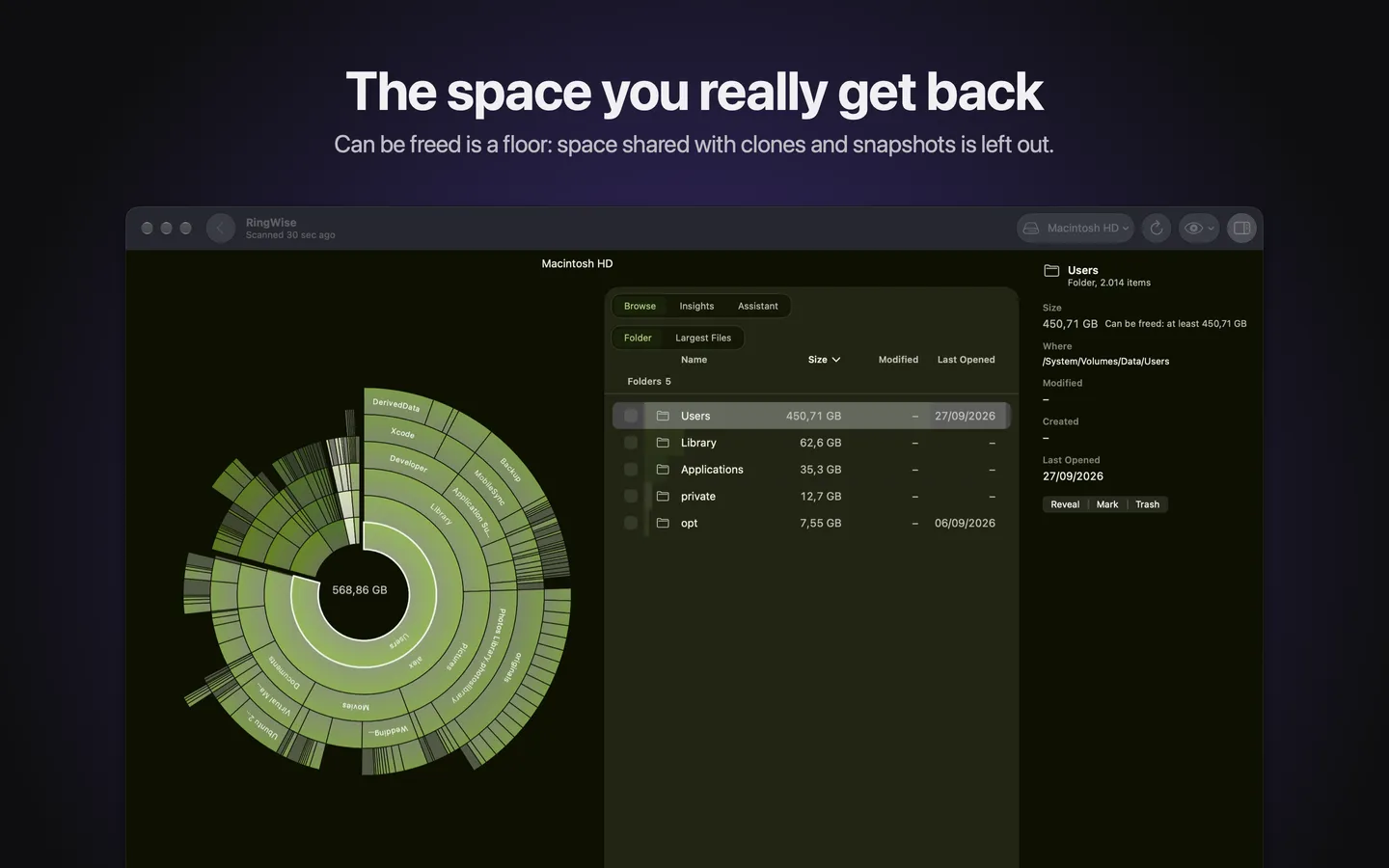
The space you really get back
Copies that share space with clones or snapshots free nothing. RingWise leaves them out, so Can be freed is a floor, not a promise.
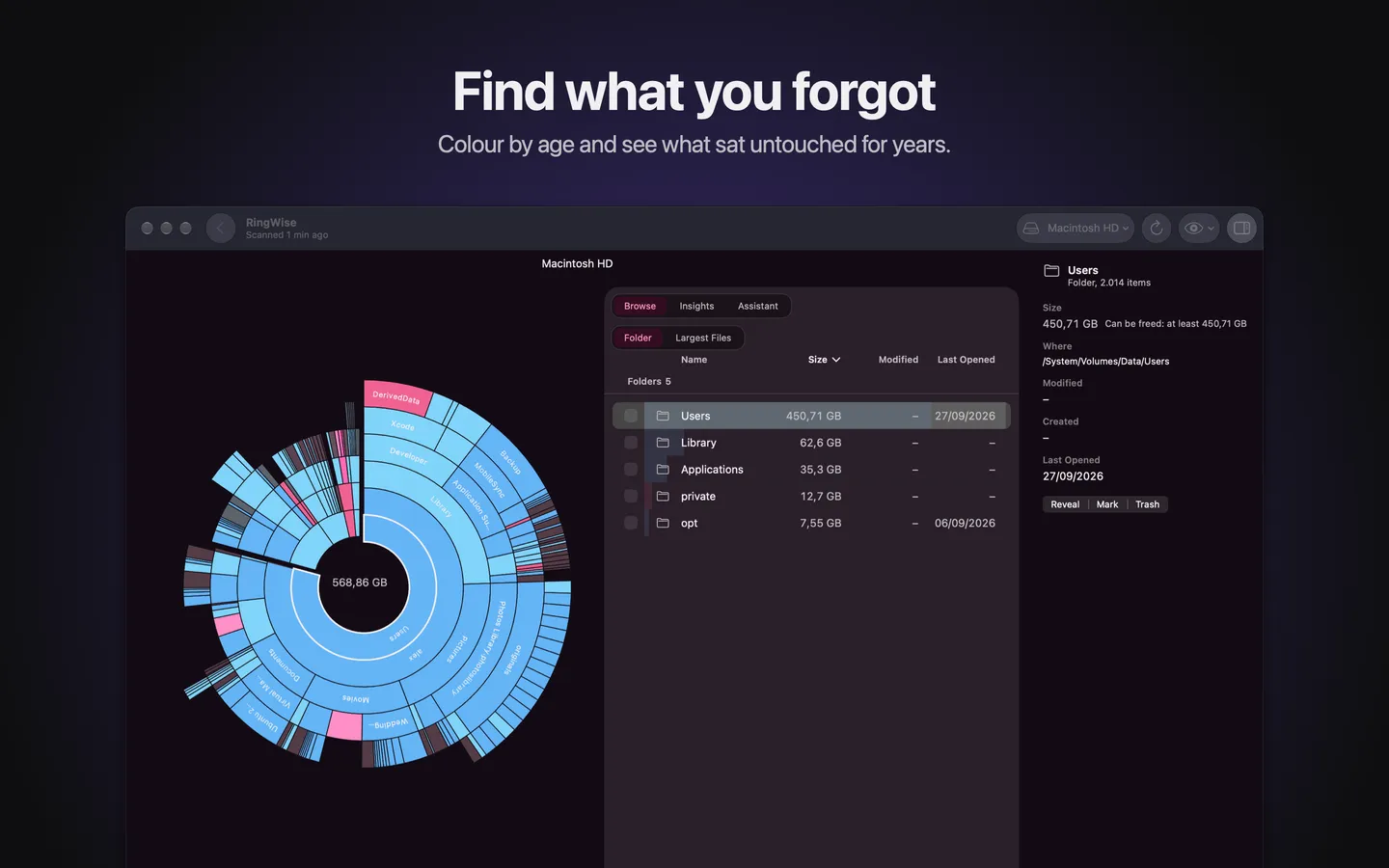
Find what you forgot
Colour the chart by age and see what has sat untouched for years.
- Trash onlyRingWise never deletes for good. Undo puts it back.
- PrivateNo account, no tracking, no network. Your scans stay on your Mac.
- Results while it scansThe chart fills in as RingWise reads your disk.
- Thirteen themesFrom Neon to Terminal to Coffee. Light and dark.